

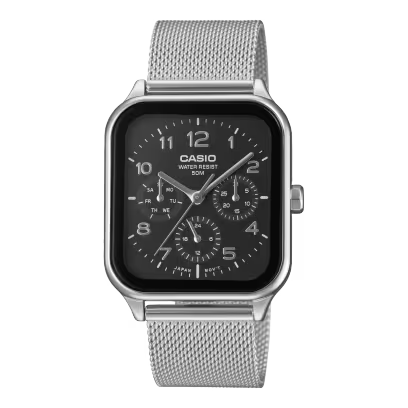


If you've just picked up a new Casio and you're staring at it, wondering which button does what, you're not alone. Casio watches are built to survive drops, dust, and years of daily wear, but that toughness comes with a small trade-off: the buttons aren't always labelled, and the process isn't always obvious the first time.
The good news is that once you understand the logic behind it, setting the time on almost any Casio takes less than a minute. And it's the same logic across hundreds of models. Learn it once, and you'll never need to look it up again.
First, Figure Out What Kind of Casio You Have
Casio watches generally fall into three groups, and each one is set differently:
-
Digital watches (the classic square-face type, like the F-91W or A158) are set using buttons only.
-
Analogue watches (hands, no digital screen) are set using a crown, the small knob on the side of the case.
-
Analogue-digital, or "combi," watches (hands plus a small digital display, common in Edifice and some G-Shock lines) usually have a mix of both, set using buttons.
If you're not sure which one you have, just check: does it have a crown you can pull out? It's an analogue. Only flat buttons and no crown? It's digital.
Setting the Time on a Digital Casio (Most G-Shock and Classic Models)
Most digital Casios, including G-Shock, follow the same four-step pattern. Button positions vary slightly by model, but the sequence is nearly always the same.
-
Find the recessed button, usually on the upper-left side of the case. It's set slightly into the case rather than sticking out. That's deliberate, so you don't set the time by accident when the watch takes a knock.
-
Press and hold it for two to three seconds until you see the seconds digits start flashing on the screen. That flashing tells you the watch is now in Setting Mode.
-
Use the lower-left button to move between fields, seconds, minutes, hours, days, months, year and the buttons on the right side to adjust each value up or down. A quick press changes it one step; holding the button down scrolls faster.
-
Press the upper-left button again to lock it in and return to normal time display.
If nothing happens when you press the button, you're probably not on the main time screen. Press the mode button until you're back to the default display and try again. Setting Mode usually only works from there.
A couple of small tips: most Casios time out of Setting Mode automatically after two to three minutes of inactivity, so if you get distracted, just start over. And if your watch has 12-hour and 24-hour options, that toggle usually appears at the very end of the setting sequence; don't skip past it, or you might end up an unintended 12 hours off.
What to Do If Your Watch Still Won't Set
If you've followed the steps above and nothing seems to be working, it's worth checking a couple of things before assuming the worst:
-
Low battery. On digital models, a dim or flickering display, or the second hand jumping in two-second intervals on an analogue model, usually means the battery is low and it's time for a replacement rather than a setting problem.
-
Wrong mode. Make sure you're not accidentally in Alarm, Timer, or Stopwatch mode. Press the mode button (usually the bottom-right one) to cycle back to normal Timekeeping.
-
Solar models in the dark. If it's a Tough Solar watch that's been sitting in a drawer, it may need a few hours in sunlight before it responds properly to button presses.
If you've genuinely tried everything and it still isn't behaving, that's usually a sign something needs professional attention rather than a setting issue, and that's worth knowing before, not after, a special occasion.
Buy With the Manual Already Solved
Every Casio we sell is authentic and comes exactly as Casio intended accurate module, a correct manual, and full after-sales support if you ever need help setting it up or servicing it. If you're shopping for your first Casio, or your next one, you can browse our latest arrivals here, including the G-Shock and Edifice lines mentioned above.
Frequently Asked Questions
Why won't my Casio watch go into setting mode?
You're likely not on the default Timekeeping screen. Press the mode button repeatedly until you're back at the plain time display, then try the setting button sequence again.
How do I know if my watch is digital, analogue, or a combination?
If it has a crown (a small knob on the side you can pull out), it's an analogue or a combi. If it only has flat buttons, it's digital.
Can I damage my Casio watch by setting the time wrong?
No, the worst that happens is that the time is incorrect, which you can simply fix by repeating the process. Just avoid forcing a crown that won't pull out; that can affect water resistance.
Do all Casio watches use the same button layout?
Not exactly, but the logic is nearly identical across the range: hold to enter setting mode, cycle through fields, adjust values, then confirm. Once you understand the pattern, most models take seconds to figure out.