

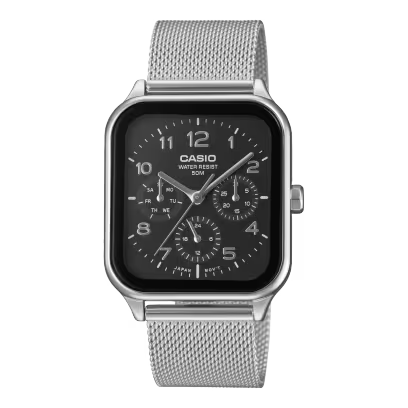



Unboxing a brand-new digital wristwatch brings an instant feeling of pride and satisfaction. The polished resin casing sits comfortably against your skin, while the crisp digital display shows every second with absolute clarity.
However, mastering how to set my Casio Illuminator watch can feel slightly confusing if you have misplaced the physical manual. Knowing the correct button sequences helps you quickly adjust time settings, update calendars, and set alarms.
This complete setup guide breaks down step-by-step instructions for your favorite digital watch. Follow these easy tips to master your timepiece and enjoy its glowing LED backlight feature without stress.
Understanding Your Casio Illuminator Watch Buttons
Identifying Standard Button Layouts
Before adjusting any digits, you need to understand the standard watch buttons layout found on most models. Most classic digital designs feature three or four primary control buttons located along the outer case frame.
- Top Left Button (A / Adjust): Used to enter or exit the main time settings screen.
- Bottom Left Button (C / Mode): Cycles through primary watch modes like alarm, stopwatch, and timer.
- Top Right Button (B / Light): Activates the bright LED backlight or Illuminator panel.
- Bottom Right Button (D / Start-Stop): Changes flashing digits and toggles 12/24-hour time formats.
According to official operational instructions from the Casio Support Center, button functions remain remarkably consistent across module variations. Knowing these button names makes following any Casio Illuminator manual completely effortless.
Step-by-Step Casio Illuminator Setup Guide
Entering Timekeeping Mode and Adjusting Seconds
To begin your Casio Illuminator setup, ensure your watch is in the main timekeeping mode. Hold down the top left button (A) until the seconds digits begin flashing on the digital screen.
Pressing the bottom right button (D) resets the flashing seconds to zero immediately. This simple calibration ensures your watch matches accurate global atomic time standards perfectly.
Setting Hours, Minutes, and Full Calendar
Once seconds are set, press the bottom left mode button (C) to advance the flashing selection. The flashing highlight will move sequentially from hours to minutes, year, month, and day digits.
- Press button (D) to increase any flashing value until you reach the correct time.
- Check for the "P" indicator on the display if you prefer standard 12-hour formatting.
- Press button (C) to cycle through and complete each calendar setting.
- Press button (A) to exit setting mode and lock in your new time.
Global timekeeping data tracked by the Federation of the Swiss Watch Industry shows that digital quartz modules offer unmatched daily timekeeping accuracy. To check out sports models featuring automatic calendar programming, view the global Casio Sports Collection.
Setting Up Daily Alarms and Stopwatch Features
How to Set and Toggle Your Alarm
Activating your daily alarm helps you manage busy work routines, morning fitness sessions, and corporate meetings smoothly. Press the mode button (C) once or twice until you see the alarm screen.
Hold button (A) until the alarm hour digits start flashing on the digital display. Use button (D) to choose your target hour, then press button (C) to adjust minutes.
Press button (A) to save your alarm settings. You can press button (D) anytime while in alarm mode to toggle the daily alarm or hourly chime sound on and off.
Utilizing the Built-In Stopwatch and Backlight
Your Illuminator watch includes a precise 1/100th-second stopwatch for tracking lap times or physical workouts. Press button (C) to access stopwatch mode, then press button (D) to start or stop timing.
Pressing button (B) lights up the display face instantly with an amber or green glow. This built-in LED backlight makes checking time in complete darkness remarkably easy.
For helpful ideas on choosing a classic digital watch with vibrant night displays, explore our guide on How to Upgrade Your Style with Casio Watches.
Verifying Authenticity and Finding Real Local Dealers
How to Spot Genuine Digital Watches
Because classic digital models are wildly popular, counterfeit copies occasionally appear in unverified markets. Genuine models feature high-contrast LCD screens, deep backplate steel stampings, and a built-in diagnostic screen test.
Holding specific buttons simultaneously reveals the secret "CASIO" display word on an original piece. Global retail trade reports from the OECD Counterfeit Goods Report confirm that illegal replicas fail quickly under routine water exposure.
To protect your money, review our safety guide on How to Avoid Buying Fake Watches in Nigeria. Buying authentic inventory ensures you receive long-term performance backed by an official two-year warranty. Read Why Buying an Authentic Casio Watch with a 2-Year Warranty Matters to understand warranty protection.
Exploring Certified Neighborhood Stores
When you want to compare current wrist watch prices in Nigeria, always choose authorized local outlets. Visiting a physical store lets you test button responsiveness and check display brightness directly.
When searching online for genuine sellers, start by looking up luxury jewelry shops near me. You can easily locate certified wrist watch outlets in Nigeria offering complete factory support.
Shoppers can explore authorized wrist watch outlets in Lagos or browse physical catalogs at wrist watch shops in Nigeria. Premier shopping spaces include verified wrist watch shops in Lagos and specialized wrist watch shops in Ikeja.
You can also discover great collections at wrist watch shops at Maryland, wrist watch shops at Lekki, and wrist watch shops at Ikoyi. To see a complete store directory, read our Ultimate Guide to Buying Casio Watches in Nigeria.
Enjoy Your Custom Timepiece Experience Today
Mastering how to set my Casio Illuminator watch gives you total control over your daily schedule. Enjoy the perfect combination of iconic digital styling, tough durability, and brilliant night display illumination.
Do not settle for unverified replicas that fail when you need them most. Choose genuine watches built by the number one luxury brand in Nigeria for accessible horology!
Visit Maybrands-Casio Store or shop online for exclusive deals, latest arrivals, Maybrands-Casio Store:
- Lagos Outlet: Shop GO4, Ikoyi Plaza, 31 Awolowo Road (By Keffi Rd Junction), Lagos.
- Abuja Outlet: Shop L20c, Jabi Lake Mall, Abuja.
- 📞 Call: +234 816 955 1029, +234 818 636 5474
Our expert customer team stands ready to help you purchase a classic chain or modern sports design today. Claim the absolute best deals in Nigeria 2026 now!
Order your original watch online through the official Maybrands Website for fast delivery. You can also shop online directly on the authorized Maybrands-Casio Portal today!